
Home camera planning

Home security cameras in Austin

Choose the view you need before choosing the camera count. A useful home camera system lets you find and export the right recording, with accounts and access kept under your control.

14+ years serving Austin
2,500+ Google reviews 4.9/5
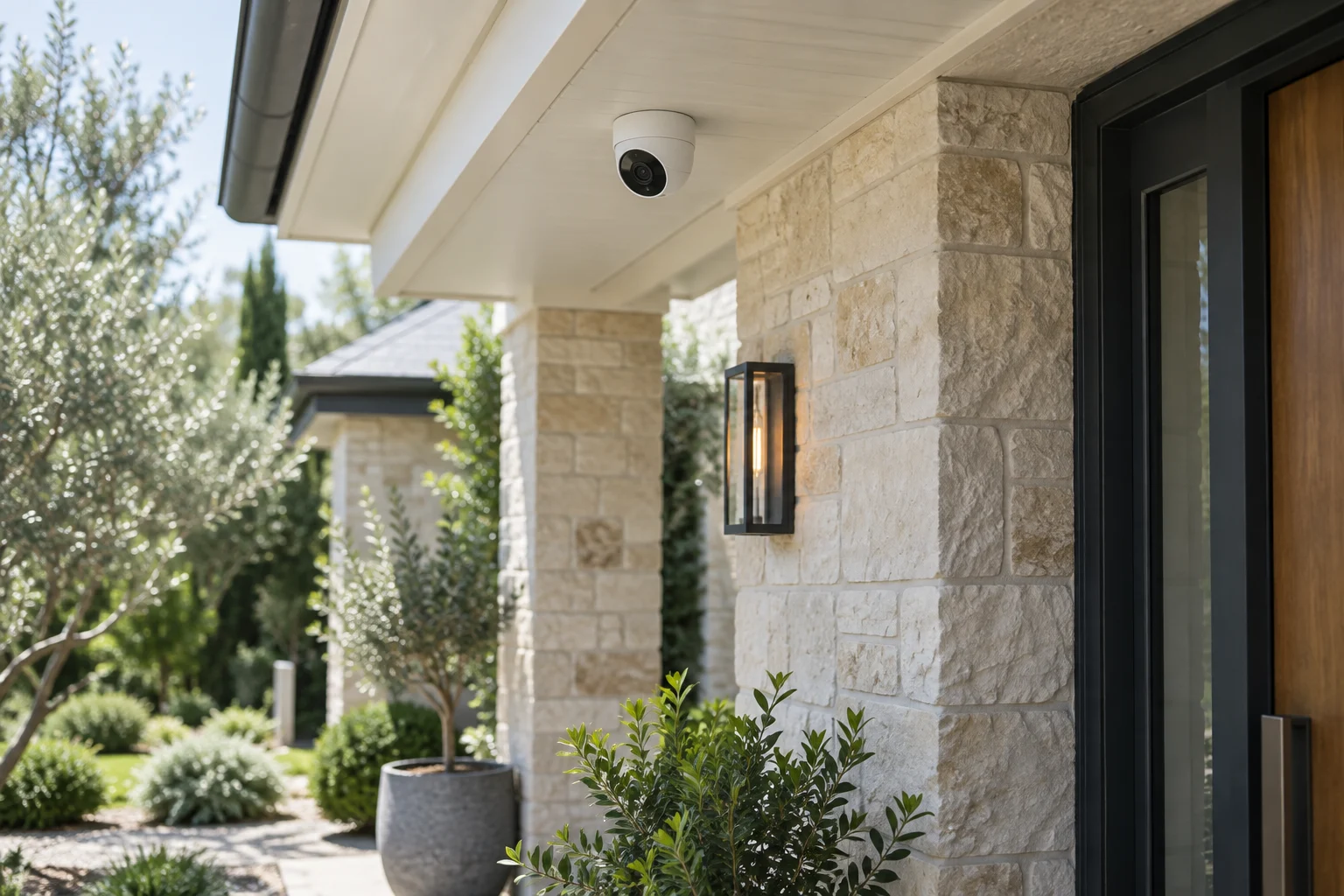
A security camera mounted beneath a stone home entry overhang.
01

Purpose and placement

Start with the question a camera should answer

Do you need to see who approached the front door, check a side gate or review a delivery? Those are different views. A broad picture of the whole driveway may show activity without providing useful detail at the porch. Assign a purpose to each proposed view before choosing its position.

For an Austin home-camera request, tell us about the entrances, existing equipment and the areas you want covered. A simple diagram is often enough to start. Keep the scope focused on your property and the people who are authorized to manage the system. Camera selection and installation requirements depend on the proposed equipment and site.

Placement is more than a wide-angle view

Mounting height, distance, lighting and obstructions affect what a recording can show. Trees, porch columns, glass and a deep roof overhang may change the usable angle. A camera pointed toward a bright street can see a different scene from one looking back at a sheltered doorway.

Test the view around the activity that matters. Someone walking toward a door is more useful than a still picture of an empty porch. Manufacturer guidance from Axis explains why motion and lighting can change image quality. Pixel count alone does not establish that a face or license plate will be readable.

02

Connection and recording

Compare power and connection requirements

Wireless describes a connection, not necessarily the entire installation. A Wi-Fi camera may still need a power source; a battery product brings a charging or battery-replacement routine. A wired system needs a suitable cable route and equipment at the other end. Discuss access to those routes before deciding what is practical.

Existing wiring may be reusable, but it needs assessment for the proposed equipment. A cable visible near an old camera does not prove that it provides the right connection or power. Rental permissions, exterior finishes and inaccessible roof spaces can also affect the work and the quote.

Decide where recordings will be kept

Local recording and cloud services have different costs and access arrangements. Ask how much footage the proposed configuration is expected to retain, whether it records continuously or on events, and which features require a subscription. Storage capacity alone does not establish a fixed number of recording days.

Decide who needs to review video and who can change settings. A family member who only wants to check deliveries may not need administrator access. Keep the account, recovery email and any subscription under the appropriate owner's control. If you already have a system, find its login details before replacing hardware unnecessarily.

Notifications should be useful enough to keep on

Constant alerts from traffic or moving branches can make a system easy to ignore. Where the product supports them, activity zones and notification settings can help focus attention on the area you intended to monitor. Those settings need checking against real use; a quiet notification stream is not proof that every relevant event is captured.

Separate a phone alert from a recording. Confirm that an event can be found later even when the phone was unavailable. Do not assume a camera installation includes professional monitoring, a guaranteed response or prevention of a break-in. If you need those services, discuss them as a distinct scope.

03

Privacy and handoff

Keep privacy and permission in the plan

Aim cameras for the agreed property purpose and review views that extend beyond it. Shared entrances, neighboring windows and private household areas deserve careful consideration. Audio recording raises additional questions, so do not enable it by default without understanding the applicable requirements and your household or property's policy.

A tenant should obtain permission for mounting, wiring and changes to shared areas. For a condominium or HOA, check who controls the exterior and the permitted installation route. These decisions belong before drilling or ordering hardware, not after a camera is attached to a surface the resident cannot alter.

What a site-specific quote should explain

Ask for camera locations, equipment, mounting, cable routes, recording setup and account handoff. Work at height, difficult surfaces, network changes and replacing failed infrastructure may affect the price. Subscription charges and ongoing service should be identified separately from installation labor.

For an existing system, explain whether the problem is a missing picture, missing recordings or lost account access. Those symptoms can have different causes. A full replacement may be unnecessary when the fault is limited to one connection, setting or component.

Check playback before calling the job complete

A live view on the installer's phone is not the whole handoff. The authorized owner should be able to sign in, find a recorded event and export a usable clip. Review the camera names and make sure they describe the actual locations. Discuss how to check recording health and what to do when a camera goes offline.

Call (512) 777-0021 to discuss your home and proposed camera scope. For a business recording system, see commercial CCTV. Cameras complement physical access; they do not replace a working lock. Our residential locksmith guide and smart-lock installation page cover those related decisions.

From local customers.

4.9from 2,582 Google reviews

Common questions

Answers before you call.

How many cameras does my home need?

Start with the entry points and the questions each view should answer. A useful site plan identifies gaps and overlap before deciding on quantity. Adding cameras without checking the views can increase cost without solving the original problem.

Can I keep my existing cameras?

Possibly. Model compatibility, recording equipment, available credentials and the condition of wiring determine what can be retained. Provide the existing model information and describe what works before assuming the whole system needs replacement.

Do cameras work when the internet goes down?

Behavior depends on the camera, recorder, power and configuration. Some local recording can continue while remote access is unavailable; other functions may depend on a connection. Ask how the proposed system behaves in that situation.

Will installation include a monitoring service?

Do not assume it does. Hardware installation, recording, phone alerts and professional monitoring are different services. The quote should identify the features included and any separate subscription or response arrangement.

Mobile service

Across Austin. Along I-35.

We serve Travis, Williamson, Hays and Bastrop counties. Call with your exact address so dispatch can discuss current availability.

512 Locksmith dispatch

Plan coverage around your home.

Tell us where you are and what needs attention. We can discuss current availability and the appropriate next step.

Call (512) 777-0021Explore residential locksmith services